1 credit · 1 photo
AI Ghibli style generator
One selfie in, one Ghibli watercolor portrait out — the warm-tone, painterly look Miyazaki built over four decades.
Powered by FLUX · ~30s · 7-day input deletion · You own the photo
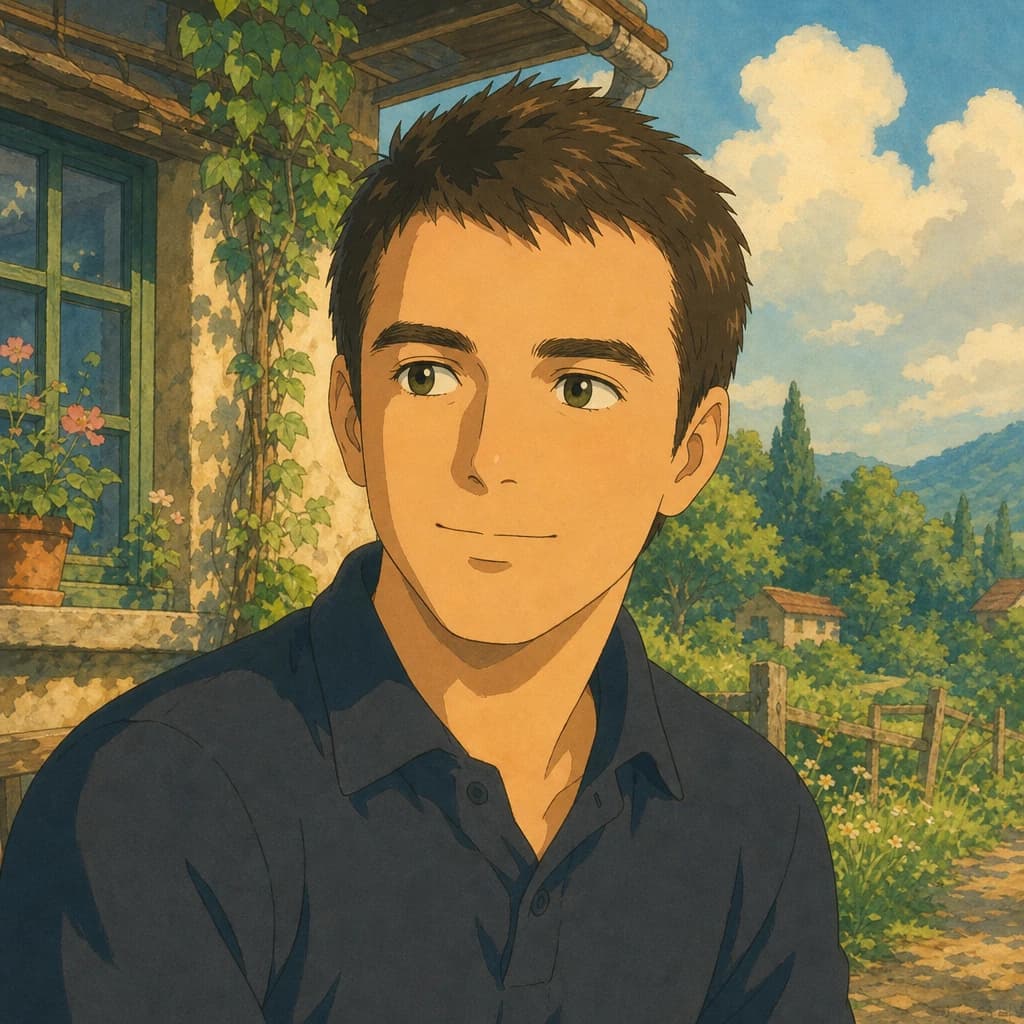
The Studio Ghibli AI generator turns one photo into a watercolor portrait in the visual language Hayao Miyazaki and Isao Takahata built across Spirited Away, Howl's Moving Castle, and Princess Mononoke — warm earth-tone palette, soft natural backlighting, painted skin with visible brush strokes, simplified Ghibli eye style, and painterly landscape backgrounds. 1 credit ($0.25) per render, around 30 seconds.
Studio Ghibli AI — what makes the look specific
Studio Ghibli is the Tokyo-based animation house founded by Hayao Miyazaki, Isao Takahata, and Toshio Suzuki in 1985. Over four decades they built a distinct visual language: hand-painted watercolor, warm earth-tone palettes, soft natural light, simplified round eyes, and painterly landscape backgrounds. The films include Spirited Away, My Neighbor Totoro, Princess Mononoke, Howl's Moving Castle, and Castle in the Sky.
A Studio Ghibli AI generator applies those visual rules to one of your photos. Not a filter — a re-rendering of skin, light, and background in the Ghibli idiom.
Why Ghibli style isn't anime style
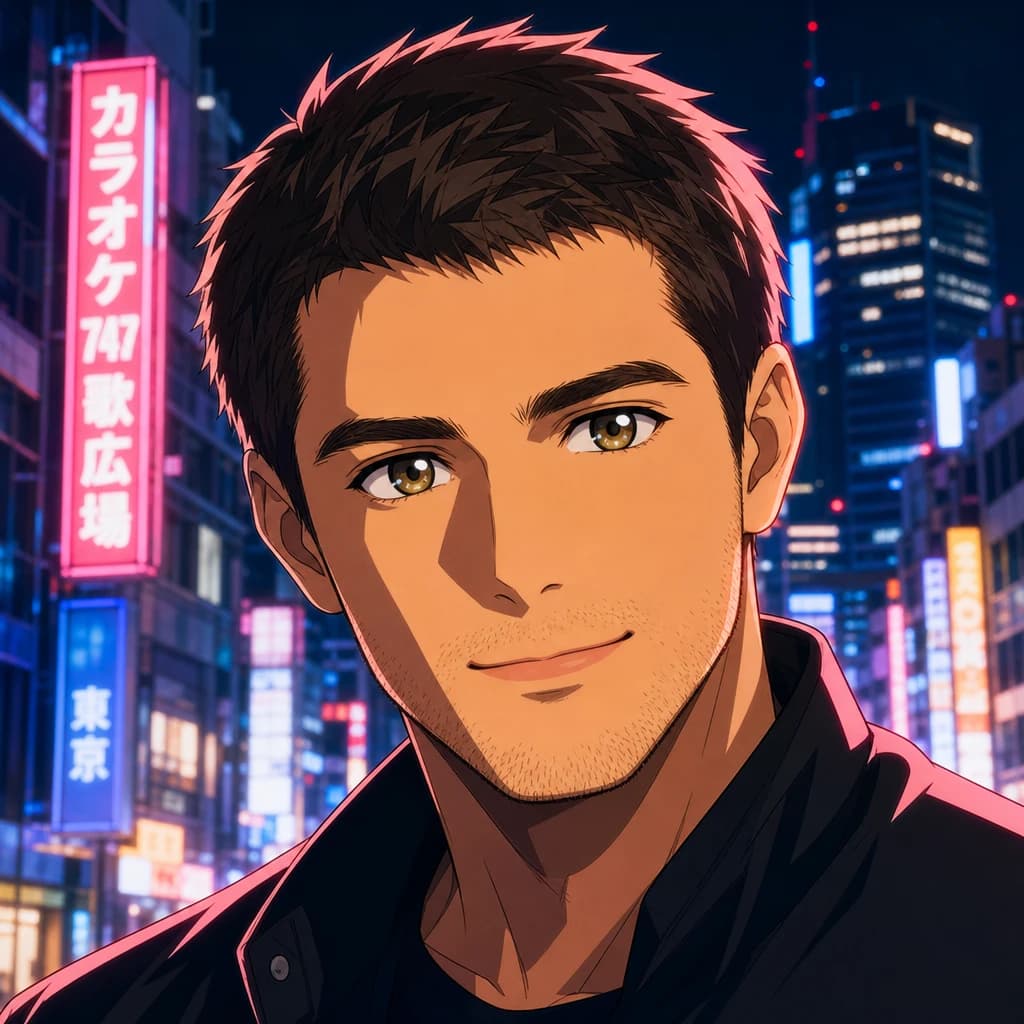
Anime and Ghibli are often grouped together, but they're visually distinct. Anime uses sharp cel-shading, hard-edged hair highlights, and vivid saturated palettes — the modern shonen look from MAPPA or Ufotable. Ghibli uses watercolor brush textures, soft natural backlighting, muted earth tones, and simplified eye work.
The eyes are the easiest tell. Anime eyes are large with detailed iris shading and bright highlights. Ghibli eyes are large but flat — usually two or three colors max, sometimes just an outline. Different art form, different tool choice.
Ghibli portrait filter — what AI gets right and wrong
Most Ghibli AI filters fail in two predictable ways. First, they apply the watercolor as a flat overlay rather than re-painting the skin — the result reads as a filter, not as illustration. Second, they default to a single Ghibli face — usually feminine, lighter-skinned, larger-eyed than the input — which strips identity.
Lumapic re-paints the skin with brushed watercolor strokes and renders the background as an illustrated landscape, the way a Ghibli background artist would. The eye style is simplified to Ghibli proportion but stays your eye color and shape.
Ghibli AI photo — what input gives the best result
Natural window light in the input reads more authentically as Ghibli than studio flash or harsh outdoor sun. The watercolor pass is at its best on softer features — heavy makeup tends to confuse the brushwork.
Loose hair translates more Ghibli than tight ponytails or heavily styled cuts. Outdoor backgrounds in the input often produce better Ghibli landscapes in the output (forest, meadow, window). A neutral expression with a slight smile is the sweet spot for the genre.
What to use it for
Six real surfaces.
- Print as wall art for a Ghibli fan's apartment
- Use as a profile photo that reads as soft and warm, not corporate
- Make a Studio Ghibli–style holiday or birthday card
- Generate the cover for a personal blog, zine, or Substack
- Render matching portraits for a couple or close friends
- Use as a stylized avatar for Discord communities focused on animation
How it works
From upload to finished photo.
01
Upload one front-facing photo
JPG, PNG, or WebP, at least 1024px. Natural daylight works best; the Ghibli look mimics window light.
02
The model renders in Ghibli watercolor style
Watercolor skin pass, warm earth-tone palette, hand-painted background, simplified eye style, soft natural backlighting.
03
Download the result
Final JPG at 2048px. About 30 seconds. 1 credit.
Tips for best results
What actually helps.
- Natural window light in the input reads more authentically as Ghibli than studio flash
- Avoid heavy makeup — the watercolor pass is at its best on softer features
- Loose hair translates more Ghibli than a tight ponytail or styled cut
- A neutral expression with a slight smile is the Ghibli sweet spot
- Outdoor backgrounds in the input often produce better Ghibli landscapes in the output
- Glasses preserve fine; sunglasses confuse the eye-simplification pass
Honest comparison
How this stacks up against alternatives.
Lumapic Ghibli vs. Fotor Ghibli: Fotor's version is a fast preset — watercolor filter on top of the photo, recognizable Ghibli palette, but flat texture and rigid eye style. Lumapic re-paints the skin with brushed watercolor strokes and renders the background as an illustrated landscape, the way a Ghibli background artist would. For a quick share, Fotor. For something that holds up at print size, Lumapic.
FAQ
Common questions.
What is Studio Ghibli style?
Studio Ghibli is the Tokyo-based animation house founded by Hayao Miyazaki, Isao Takahata, and Toshio Suzuki in 1985. Their visual signature is hand-painted watercolor with warm earth-tone palettes, soft natural light, simplified round eyes, and painterly landscape backgrounds. The films include Spirited Away, My Neighbor Totoro, Princess Mononoke, Howl's Moving Castle, and Castle in the Sky.
Is Ghibli style the same as anime?
No. Anime uses sharp cel-shading, hard-edged hair highlights, and vivid saturated palettes — the modern shonen look. Ghibli uses watercolor brush textures, soft backlighting, muted earth tones, and simplified eye work. The easiest tell is the eyes: anime eyes are large with detailed iris shading; Ghibli eyes are large but flat, usually two or three colors max.
Will it look like a specific Ghibli movie?
It captures the universal Ghibli visual language — watercolor skin, warm tones, painterly background — rather than imitating a single film. The output reads as a generic Ghibli portrait, not as a specific character from a specific movie.
Will it look like me?
Yes — your face shape, skin tone, and hair color are preserved. The model only applies the watercolor pass and the simplified Ghibli eye style. We don't push features toward a single Ghibli archetype, lighten your skin, or replace your hair with a Ghibli haircut.
How long does it take?
Around 30 seconds per render.
How much does it cost?
1 credit ($0.25) per render. Credit packs start at $2.99 for 12 credits. Credits never expire.
Is the output high enough resolution to print?
Yes — 2048px on the long edge prints cleanly at up to 8×10 inches at 250 DPI. Suitable for framed wall art, greeting cards, and holiday photo prints.
Make your ai ghibli style generator in seconds.
Pay as you go. Packs from $2.99. Never expire.