1 credit · 1 photo
AI anime generator
One selfie in, one anime portrait out — your hair color, your eye shape, your face — rendered in the anime style of your choice.
Powered by FLUX · ~30s · 7-day input deletion · You own the photo
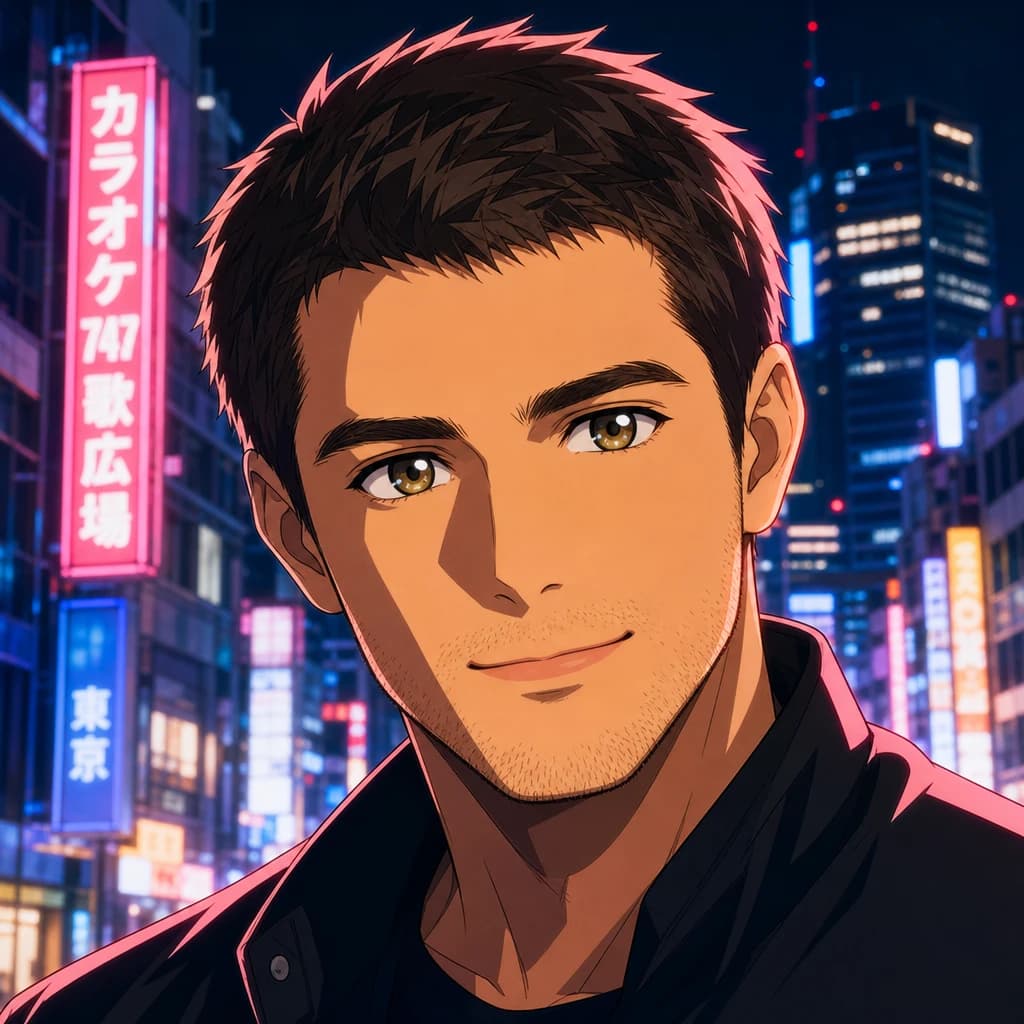
The AI anime generator turns one selfie into an anime portrait that still looks like you. Lumapic preserves your hair color, eye shape, skin tone, and face geometry, then applies cel-shading in the anime style you pick — modern shonen, 90s OVA, manga, or Ghibli-adjacent watercolor. 1 credit ($0.25) per render. Around 30 seconds. No subscription, no watermark, no usage restriction.
Turn a photo into anime — what AI is actually doing
Photo-to-anime AI takes one selfie and renders it in an anime style. The model identifies your facial features, hair, and clothing, then re-renders the image with cel-shading, enlarged anime-proportion eyes, hard-edged hair highlights, and the linework conventions of the style you pick.
The hard part isn't the rendering — it's deciding which features to preserve and which to translate. Most free AI anime generators err on the side of translating everything, which produces generic anime characters with your face vaguely visible. Lumapic errs the other way: preserve your hair color, eye color, skin tone, and face shape, then apply the anime rules.
Anime AI generator styles — modern, 90s OVA, manga, Ghibli
Anime is not one style. The modern shonen look — clean linework, hard-edged hair highlights, vivid cel-shading — is what studios like MAPPA, Ufotable, and Bones use today (think My Hero Academia, Demon Slayer, Jujutsu Kaisen).
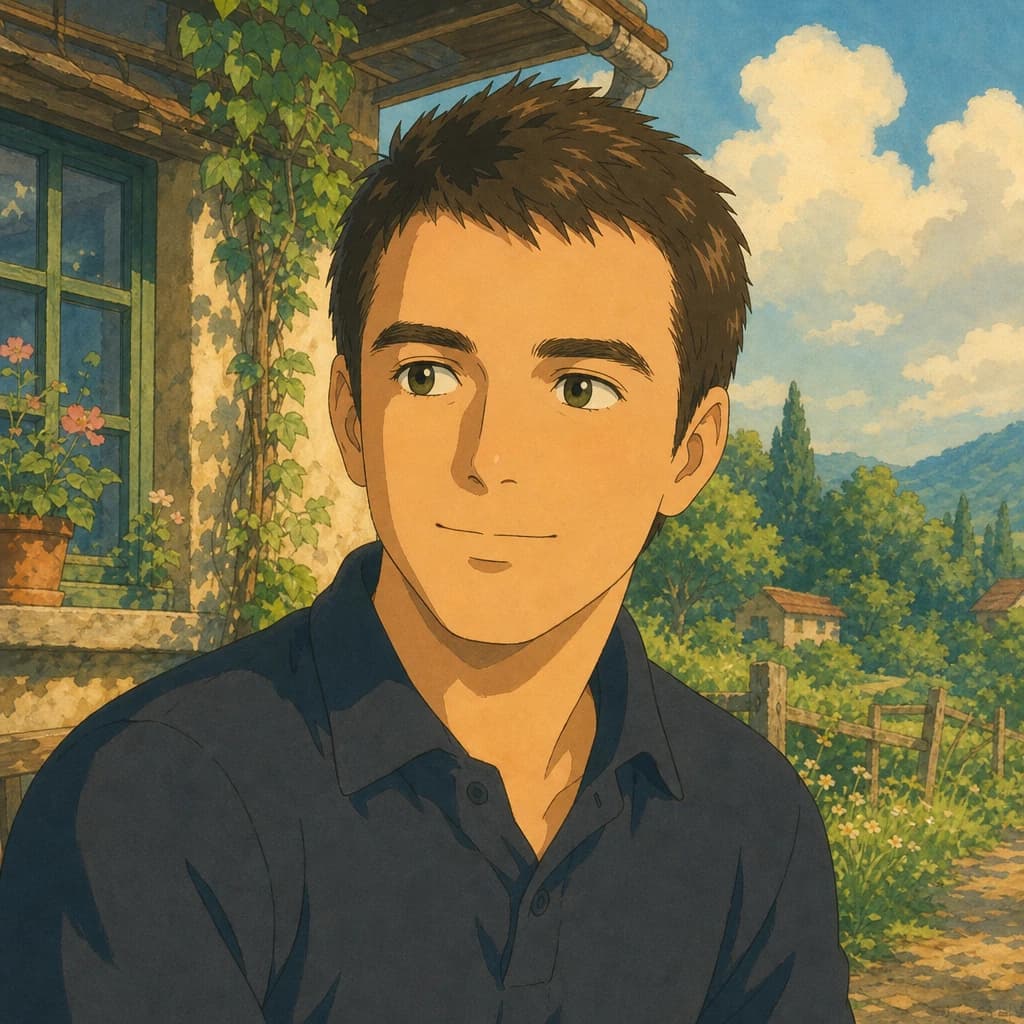
The 90s OVA look from Madhouse and Production I.G in their Cowboy Bebop and Ghost in the Shell era is moodier and more painterly. Manga is its own discipline — black-and-white linework with screentone shading. Studio Ghibli's watercolor tradition is softer and more pastoral. None of these are interchangeable; pick the one that matches your use case.
Can AI make me anime and still preserve my identity
Yes — that's what Lumapic's anime model is tuned for. Hair color preserved (your brown stays brown, no default pink). Eye color preserved (your hazel stays hazel, no default blue). Face shape preserved (round face renders as round-faced anime, not default V-shape). Skin tone preserved (no defaulting to porcelain).
This is the failure mode every free anime tool has in common. Lumapic is built around the opposite assumption: anime is the style applied to *you*, not a default anime character with your name on it.
AI anime avatar — which style for which use case
For a Discord, Twitter, or Twitch avatar you'll actually keep, pick modern shonen — it reads as recognizably anime at a glance, and the vivid cel-shading scales down to 64px or 128px cleanly.
For nostalgic poster art or a podcast cover, pick 90s OVA — the painterly mood holds up at larger sizes. For a print or zine, pick manga — black-and-white reproduces cleanly on any printer. For a softer mood or wedding-style stationery, pick Ghibli-adjacent watercolor.
What to use it for
Six real surfaces.
- Make a Discord, Twitter, or Twitch profile picture that reads as anime-fan but still looks like you
- Render matching anime versions of you and a friend for a chat
- Turn a cosplay photo into the character it was based on
- Use as the cover for a personal manga, fanfic, or zine project
- Generate art for a Twitch overlay or anime-themed YouTube channel
- Render a podcast-host avatar for an anime, manga, or otaku-culture show
How it works
From upload to finished photo.
01
Upload one front-facing photo
JPG, PNG, or WebP, at least 1024px on the long edge. Neutral or smiling expression both work. Hair fully visible in the frame — the model uses your real hair shape for the anime rendering.
02
Pick an anime style
Choose modern shonen (sharp, vivid), 90s OVA (moody, painterly), manga (B&W with screentone), or Ghibli-adjacent watercolor. Each preserves identity and applies that tradition's rules.
03
Download the result
Final JPG at 2048px on the long edge. Around 30 seconds. 1 credit ($0.25). You own the output and can use it commercially.
Tips for best results
What actually helps.
- Front-facing photos render more cleanly than profile — anime eyes carry the look, so they need to be visible
- Make sure your hair is fully visible in the frame; the model uses your real hair to find the right anime hair shading
- Heavy makeup sometimes confuses the cel-shading pass — natural skin reads cleaner
- A slightly stylized expression (smirk, focused, head-tilt) reads more anime than a casual smile
- Plain backgrounds in the input give the model the most room to render an anime background
- Glasses translate well — the model renders them as anime-character glasses, often as a signature element
Honest comparison
How this stacks up against alternatives.
Lumapic Anime vs. NewProfilePic and NijiJourney: NewProfilePic ships a fast anime filter on a free tier, optimized for quick social shares — the trade-off is that every output uses the same default anime face, same default hair color, and the same eye style regardless of your input. NijiJourney is the gold standard for true anime aesthetics if you're already a Midjourney subscriber and comfortable prompting through Discord. Lumapic sits in the middle: identity preserved like neither competitor manages, no subscription, no prompt-engineering required. For a one-tap social share, NewProfilePic. For maximum style fidelity, NijiJourney. For an anime portrait that still looks like you, Lumapic.
FAQ
Common questions.
Can AI make me anime and still have it look like me?
Yes — that's what Lumapic's anime model is tuned for. Your real hair color, eye color, skin tone, and face shape are preserved. We then apply cel-shading, enlarged anime eyes, and the line work in the style you pick. The output reads as you in anime form, not a generic anime character with your face pasted on.
What anime styles can I pick?
Four: modern shonen (the My Hero Academia / Demon Slayer / Jujutsu Kaisen look — sharp lines, vivid cel-shading), 90s OVA (Cowboy Bebop / Ghost in the Shell / Akira-adjacent — moodier, more painterly), manga (B&W with screentone shading), and Ghibli-adjacent watercolor (Spirited Away / Princess Mononoke — softer, painterly). Pick by use case: shonen for an avatar, manga for a print, watercolor for mood.
Will my hair color and eye color be preserved?
Yes. This is the failure mode most free AI anime tools have — they default your hair to pink or blue regardless of input, and your eyes to anime-canonical blue. Lumapic keeps your hair color, eye color, and skin tone exactly. Your hazel eyes stay hazel; your brown hair stays brown.
Is there a free AI anime generator?
Free tools exist (NewProfilePic, Picsart, Fotor) with the trade-off that every output looks the same — same default anime face, same default hair color, same eye style. Lumapic is pay-as-you-go at $0.25 per photo with identity preservation, no watermarks, and no subscription. You pay only for outputs you actually use.
Can I use the anime version commercially?
Yes. You own the output and can use it on personal social media, Twitch overlays, Discord avatars, podcast art, YouTube thumbnails, fanfic covers, and indie comics. See our terms of service for the full license. The short version: Lumapic-generated photos are yours to use wherever you would use a regular photo of yourself.
How long does it take?
Around 30 seconds per render.
How much does it cost?
1 credit ($0.25) per render. Credit packs start at $2.99 for 12 credits. Credits never expire.
What resolution is the output?
2048px on the long edge — high enough for social shares, print at up to 8×10 inches at 250 DPI, Twitch overlays, and most podcast art.

Make your ai anime generator in seconds.
Pay as you go. Packs from $2.99. Never expire.