1 credit · 1 photo
AI birthday photo generator
One selfie, one birthday-party portrait — cake, candles, the year on the cake, the moment you didn't book a photographer for.
Powered by FLUX · ~30s · 7-day input deletion · You own the photo
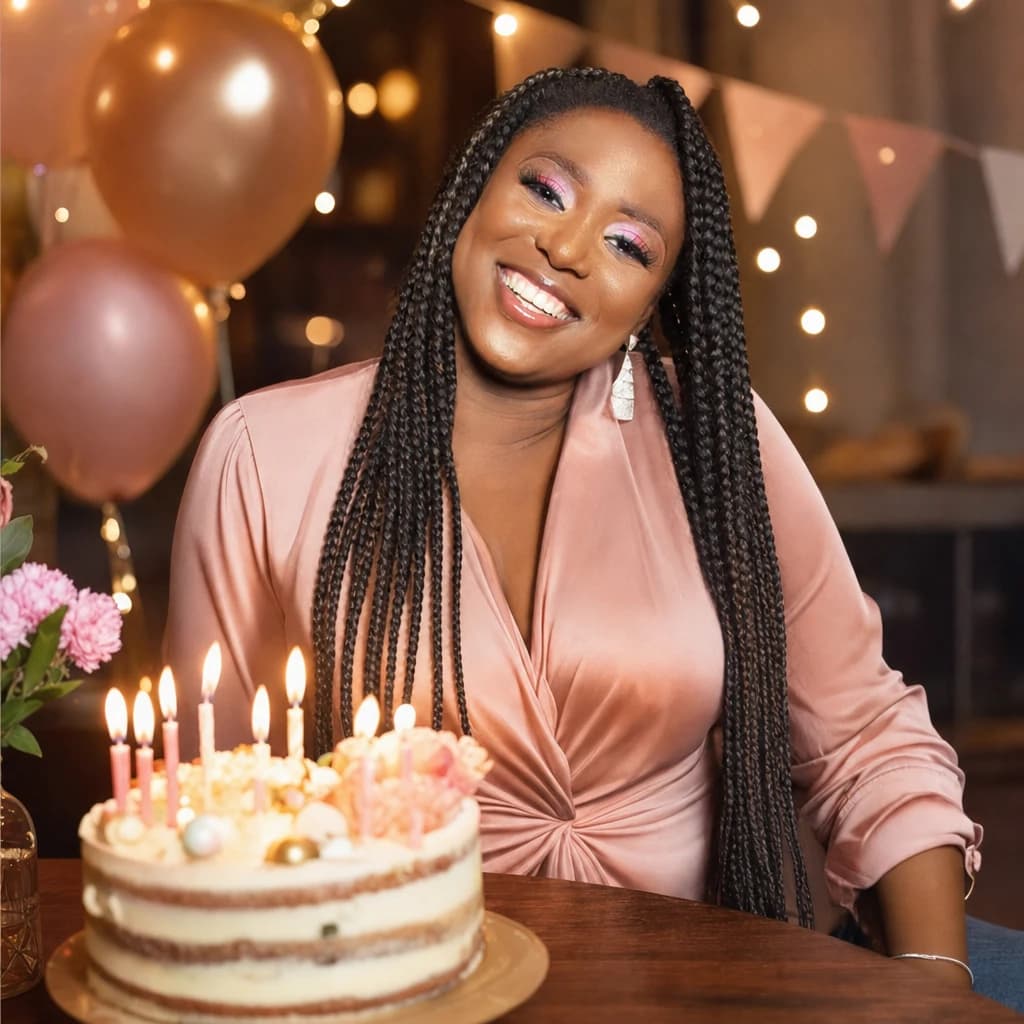
The AI birthday photo generator takes one selfie and renders it as a celebratory party portrait — cake with candles, balloons, festive lighting, warm party atmosphere. Pick a kid-party or adult-milestone aesthetic, optionally specify the age. Lumapic preserves your face and rebuilds the surrounding scene. 1 credit ($0.25), around 30 seconds.
Kid's birthday vs. adult milestone — pick the aesthetic
These are visually different and you should pick before generating. Kid birthday is bright daylight, primary colors, balloon clusters, big iced cake, party-store decor. Adult milestone is moody warm lighting, champagne or wine glass, restaurant or living-room setting, more restrained palette.
Specify the aesthetic in your prompt. "Kid's 5th birthday with balloons and party hats" vs. "30th birthday dinner with champagne and warm restaurant lighting." The model follows the direction.
How to specify the age on the cake
Default is a layered iced cake with lit candles. To show a specific age, write it in the prompt: "30 candles on the cake" or "Happy 75th iced on top." The model handles both candle counts (up to ~30 reliably; above that the candles get small) and written age numerals (cleaner for milestone birthdays).
For surprise gifts to older relatives — 70th, 80th, 90th — the written-numeral approach reads more legibly on the final photo than a literal candle count.
Birthday photo AI as a surprise gift
The most common high-value use is as a surprise gift. Adult children making a portrait for a parent's milestone (60/70/80th). Partners making for a 30/40/50th. Best friends marking each other's big years.
You don't need the recipient present to generate — you just need a clear photo of them. Use the best photo you have. Mention the age you want shown on the cake. Print on 5×7 card stock and pair with a handwritten note. The whole project costs $0.25 plus the cost of card stock.
Printing AI birthday photos for cards and invites
The output is 2048px on the long edge. At 250 DPI that prints cleanly at 8×10 inches; at the standard 5×7 greeting-card size, the print is sharper than the average eye notices.
For digital uses — Instagram milestone posts, group-chat birthday messages, e-vites, podcast cover art — the 2048px output downscales cleanly. For poster-sized prints (16×20 and up), the resolution gets thin; commission a real photographer if you want gallery-quality wall art.
What to use it for
Six real surfaces.
- Send as a thank-you photo after a party where no one took a good shot
- Make a birthday-themed Instagram post for the milestone year
- Render the cover for a Spotify birthday playlist
- Print as a keepsake for a kid's first birthday
- Use as the cover image for a digital birthday invitation
- Make a birthday photo for someone who was on call during their own party
How it works
From upload to finished photo.
01
Upload one front-facing photo
JPG, PNG, or WebP, at least 1024px. A smiling selfie is ideal — the birthday vibe is warm and happy.
02
The model renders the birthday pass
Cake with lit candles, balloon clusters in background, warm party lighting, soft bokeh, smiling-friendly composition.
03
Download the result
Final JPG at 2048px. About 30 seconds. 1 credit. Print on a card, post to Instagram, or text to friends as the photo you wish you'd taken.
Tips for best results
What actually helps.
- A smiling input reads more birthday than a neutral expression
- Indoor input photos work better than outdoor — the party lighting is intimate
- Eye contact with the camera in the input reads as 'caught in the moment'
- Plain wardrobe in the input lets the model add casual party clothing if needed
- If you want a specific cake type, say so; the default is a layered iced cake
- Generations look better at age-friendly cues — natural daylight inputs render cleaner
Honest comparison
How this stacks up against alternatives.
Lumapic Birthday vs. PicCollage / Canva birthday templates: collage apps stick a balloon emoji on top of your selfie — fast but obvious. Lumapic re-renders the scene from scratch with real cake, real bokeh, real lighting that matches your face. For a quick share, collage apps. For a photo you'd print, Lumapic.
FAQ
Common questions.
Can AI make a birthday photo from one selfie?
Yes. Upload one selfie and the model renders a birthday-party portrait around your face — cake with candles, balloons or restrained party decor, warm party lighting. Specify whether you want a kid-party aesthetic or an adult-milestone one in the prompt; they're visually different.
Can I show a specific age on the cake?
Yes. Write it in the prompt — '30 candles on the cake' for a literal candle count (works up to about 30; above that the candles get small) or 'Happy 75th iced on top' for written numerals, which reads more legibly for milestone birthdays. For surprise gifts to older relatives, written numerals beat candle counts.
Kid's birthday vs. adult milestone — what's the difference in the output?
Kid's birthday is bright daylight, primary colors, balloon clusters, big iced cake, party-store decor. Adult milestone is moody warm lighting, champagne or wine glass, restaurant or living-room setting, restrained palette. Specify which in your prompt — the default is somewhere in the middle.
Can I generate one as a surprise gift?
Yes — this is the most common use case. You don't need the recipient present; you just need a clear photo of them. Use the best photo you have, specify the age, print on 5×7 card stock, pair with a handwritten note. Total cost: $0.25 plus card stock.
Will it look like me?
Yes — your face, hair, skin tone, and key features are preserved exactly. The model only changes lighting, wardrobe, and background. We don't change your ethnicity, age you younger or older, or replace your features with a generic 'birthday person' template.
How long does it take?
Around 30 seconds per photo.
How much does it cost?
1 credit ($0.25) per photo. Credit packs start at $2.99 for 12 credits. Credits never expire.
More like this
If you liked Birthday Photo

Christmas Photo
1 creditFestive holiday portrait — cozy sweater, fairy lights, glowing Christmas tree behind you, ready for the family holiday card.

Polaroid Trend
1 creditTurn your selfie into a vintage Polaroid photo — soft flash, faded colors, paper border, written caption underneath.

Wedding Photo
1 creditEditorial bridal or groom portrait — dressed up at a romantic golden-hour location, magazine-worthy framing.
Make your ai birthday photo generator in seconds.
Pay as you go. Packs from $2.99. Never expire.